
 EN
EN Best 28 Free Photo Editors

GIMP (Photo Editor)

Download Here (GNU/Linux | OS X | Microsoft Windows | All)
GIMP (/ɡɪmp/ GHIMP; GNU Image Manipulation Program) is a free and open-source raster graphics editor used for image manipulation (retouching) and image editing, free-form drawing, transcoding between different image file formats, and more specialized tasks.
Read More About GIMP (Photo Editor) / Source
Pinta photo editor
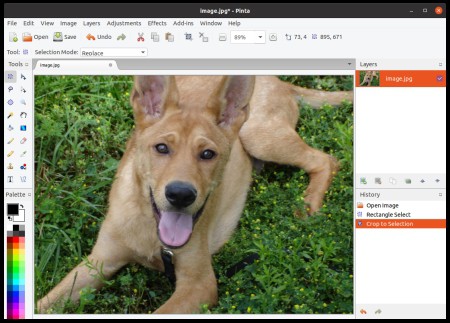
Pinta is an open-source, cross-platform bitmap image drawing and editing program inspired by Paint.NET, a similar image editing program which is limited to Microsoft Windows. Pinta has more features than Microsoft Paint. Compared with open-source image editor GIMP, Pinta is simpler and has fewer features.
Read More About Pinta photo editor / Source
Adobe Photoshop Express for Windows

Adobe Photoshop Express is a free image editing and collage making mobile application from Adobe Inc. The app is available on iOS, Android and Windows phones and tablets. It can also be installed on Windows desktop with Windows 8 and above, via the Microsoft Store. Photoshop Express Editor has various features which can be used to enhance photos.
In November 2016 Collage creation was introduced to Adobe Photoshop Express on iOS. They allow editing pictures in the smartphone or tablet rather than online. It can be used to showcase your latest art, ideas, or products.
Read More About Adobe Photoshop Express for Windows / Source
Apple Photos

Photos is a photo management and editing application developed by Apple. It was released as a bundled app in iOS 8 on September 17, 2014—replacing the Camera Roll—and released as a bundled app to OS X Yosemite users in the 10.10.3 update on April 8, 2015. It was released for tvOS 10 on September 13, 2016.
Read More About Apple Photos / Source
Darktable

Download Now (IOS/WINDOW)
Darktable (stylized as darktable) is a free and open-source photography application software and raw developer. Rather than being a raster graphics editor like Adobe Photoshop or GIMP, it comprises a subset of image editing operations specifically aimed at non-destructive raw image post-production. It is primarily focused on improving a photographer’s workflow by facilitating the handling of large numbers of images. It is freely available in versions tailored for most major Linux distributions, macOS, Solaris and Windows and is released under the GPL-3.0-or-later.
Read More About Darktable / Source

Digikam

Download Here (WINDOW/MAC/LINUX)
digiKam is a free and open-source image organizer and tag editor written in C++ using the KDE Applications.
digiKam runs on most known desktop environments and window managers, as long as the required libraries are installed. It supports all major image file formats, such as JPEG and PNG as well as over 200 raw image formats[3] and can organize collections of photographs in directory-based albums, or dynamic albums by date, timeline, or by tags. Users can also add captions and ratings to their images, search through them and save searches for later use. Using plug-ins, users can export albums to various online services including (among others) 23hq, Facebook, Flickr, Gallery2, Google Earth’s KML files, Yandex.Fotki, MediaWiki, Rajce, SmugMug, Piwigo, Simpleviewer, Picasa Web Albums. Plug-ins are also available to enable burning photos to a CD and the creation of web galleries.
Read More About Digikam / Source
Faststone image viewer

Download Here (Window)
FastStone Image Viewer is an image viewer and organizer for Microsoft Windows, provided free of charge for personal and educational use, as of version 7.0. The program also includes basic image editing tools.
Read More About Faststone image viewer / Source
Glimpse (software)
Glimpse is a photo editor that started as a fork of GIMP. It was forked due to the name of GIMP being considered an ableist slur.
Read More About Glimpse (software) / Source
IrfanView (Photo Editor)

Download Here (WINDOW)
IrfanView is an image viewer, editor, organiser and converter program for Microsoft Windows. It can also play video and audio files, and has some image creation and painting capabilities. IrfanView is free for non-commercial use; commercial use requires paid registration. It is noted for its small size, speed, ease of use, and ability to handle a wide variety of graphic file formats. It was first released in 1996.
Read More About IrfanView (Photo Editor) / Source
Krita

Download Here (Windows | Linux | macOS )
Krita is a free and open-source raster graphics editor designed primarily for digital painting and 2D animation. It runs on Windows, macOS, Linux, Android and Chrome OS. It features an OpenGL-accelerated canvas, colour management support, an advanced brush engine, non-destructive layers and masks, group-based layer management, vector artwork support and switchable customisation profiles. It is written in C++ using Qt.
Read More About Krita / Source
Microsoft Paint

Install Here (Window)
Microsoft Paint is a simple raster graphics editor that has been included with all versions of Microsoft Windows. The program opens and saves files in Windows bitmap (BMP), JPEG, GIF, PNG, and single-page TIFF formats. The program can be in color mode or two-color black-and-white, but there is no grayscale mode. For its simplicity and that it is included with Windows, it rapidly became one of the most used applications in the early versions of Windows, introducing many to painting on a computer for the first time. It is still widely used for simple image manipulation tasks.
Read More About Microsoft Paint / Source

Photo Pos Pro
Download Here (Window)
Photo Pos Pro became one of the most popular photo editors around the world! Version 3 has free and premium photo editing features offers users a wide variety of possibilities in the fields of Image Enhancing and Image Editing and in the field of Computer Graphics Design. Using the editor you can perform various tasks, from simple basic tasks to complex tasks; you can edit existing images, create new works based on existing images, create new works from scratch and more.
Read More About Photo Pos Pro / Source
Photodemon (Photo Editor)

Download Here (Window)
Photodaemon (Photo Editor) is a photographer editor. It’s 100% min, and 100%-source.
The program offers a wide selection of photo editing tools in a very small download. It runs on any Windows machine (XP to Win 10), and as a portable app, you can carry it on a USB drive or SD card. It never needs to be installed, and it doesn’t require administrator access to run.
Read More About Photodemon (Photo Editor) / Source
Fotoxx
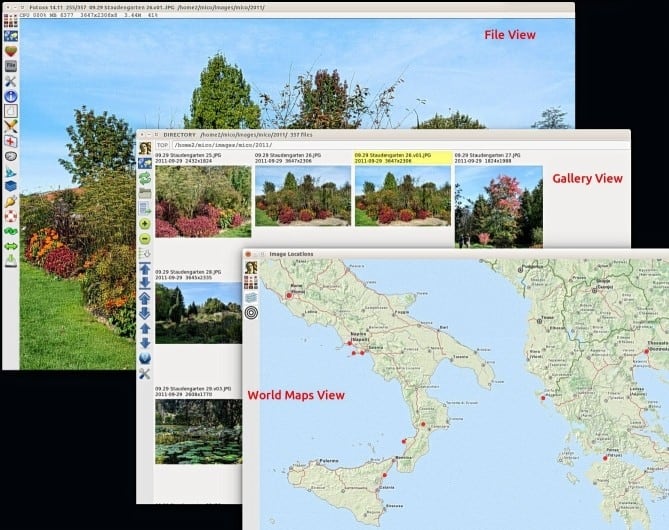
Fotoxx is a free open source Linux program for image editing and archive management.
The goal is to meet the needs of serious photographers while remaining fast and easy to use.
Read More About Fotoxx / Source
LightZone
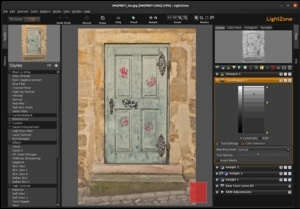
LightZone is a free, open-source digital photo editor software application. It was originally developed as commercial software by the now-defunct Light Crafts. Its main purpose is to handle the workflow, including non-destructive editing when handling images in various RAW formats. It is comparable to Adobe Lightroom.
Read More About LightZone / Source
Photo editor pro

Photo Editor Pro offers everything you want to edit pictures in this picture art journey. 500+ stylish effects, face melodies, photo collages, filters, grids, change backgrounds and beauty plus tools to help you make pic art fun! With Photo Editor Pro, you can directly post your artworks to Instagram, WhatsApp, Facebook etc. Unlock your creativity, and edit pictures like a pro!
Read More About Photo editor pro / Source
Photo Pos Pro
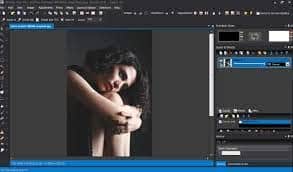
Photo Pos Pro – Complete Photo Editing Suite supports everything you would need to enhance photos and create great artworks. Easily and easily manipulate photos – convert any image into stunning artwork, easily create, edit, enhance, print and manipulate your digital photos and computer graphics and create engaging graphics with ease.
Read More About Photo Pos Pro / Source
Photopad photo editing software
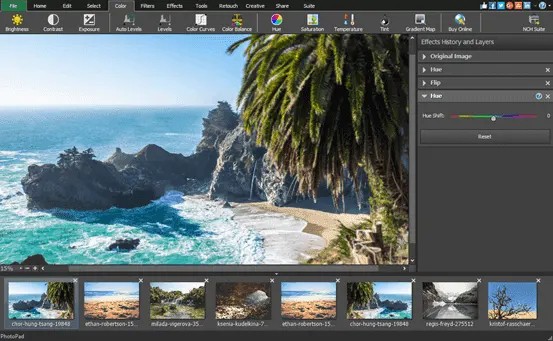
Photopad Picture Editor is the fastest and most fun way to edit your digital photos. Photopad is one of the most stable, easy-to-use and comprehensive photo editors available.
Read More About Photopad photo editing software / Source
pixlr
Pixlr is a cloud-based set of image editing tools and utilities, including a number of photo editors and a photo sharing service. The suite was intended for non-professionals, however the apps range from simple to advanced photo editing.The platform can be used on desktop and also smartphones and tablets via mobile application. Pixlr is compatible with various image formats such as JPEG, PNG, WEBP, GIF, PSD (photoshop image) and PXZ (native Pixlr document format). In 2013, Time listed Pixlr as one of the top 50 websites of the year.
Read More About pixlr / Source
RawTherapee
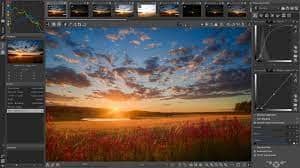
RawTherapee is application software for processing photographs. It comprises a subset of image editing operations specifically aimed at non-destructive post-production of raw photos and is primarily focused on improving a photographer’s workflow by facilitating the handling of large numbers of images. It is notable for the advanced control it gives the user over the demosaicing and developing process. It is cross-platform, with versions for Microsoft Windows, macOS and Linux.
RawTherapee was originally written by Gábor Horváth of Budapest, Hungary, and was re-licensed as free and open-source software under the GNU General Public License Version 3 in January 2010. It is written in C++, using a GTK+ front-end and a patched version of dcraw for reading raw files. The name used to stand for “The Experimental Raw Photo Editor”; however that acronym has been dropped, and RawTherapee is now a full name in itself.
Read More About RawTherapee / Source

Shotwell
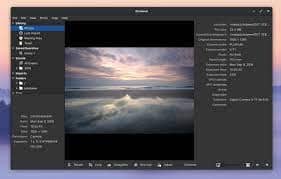
Shotwell is an image organizer designed to provide personal photo management for the GNOME desktop environment. In 2010, it replaced F-Spot as the standard image tool for several GNOME-based Linux distributions, including Fedora in version 13 and Ubuntu in its 10.10 Maverick Meerkat release.
Read More About Shotwell / Source
ShowFOTO photo editor
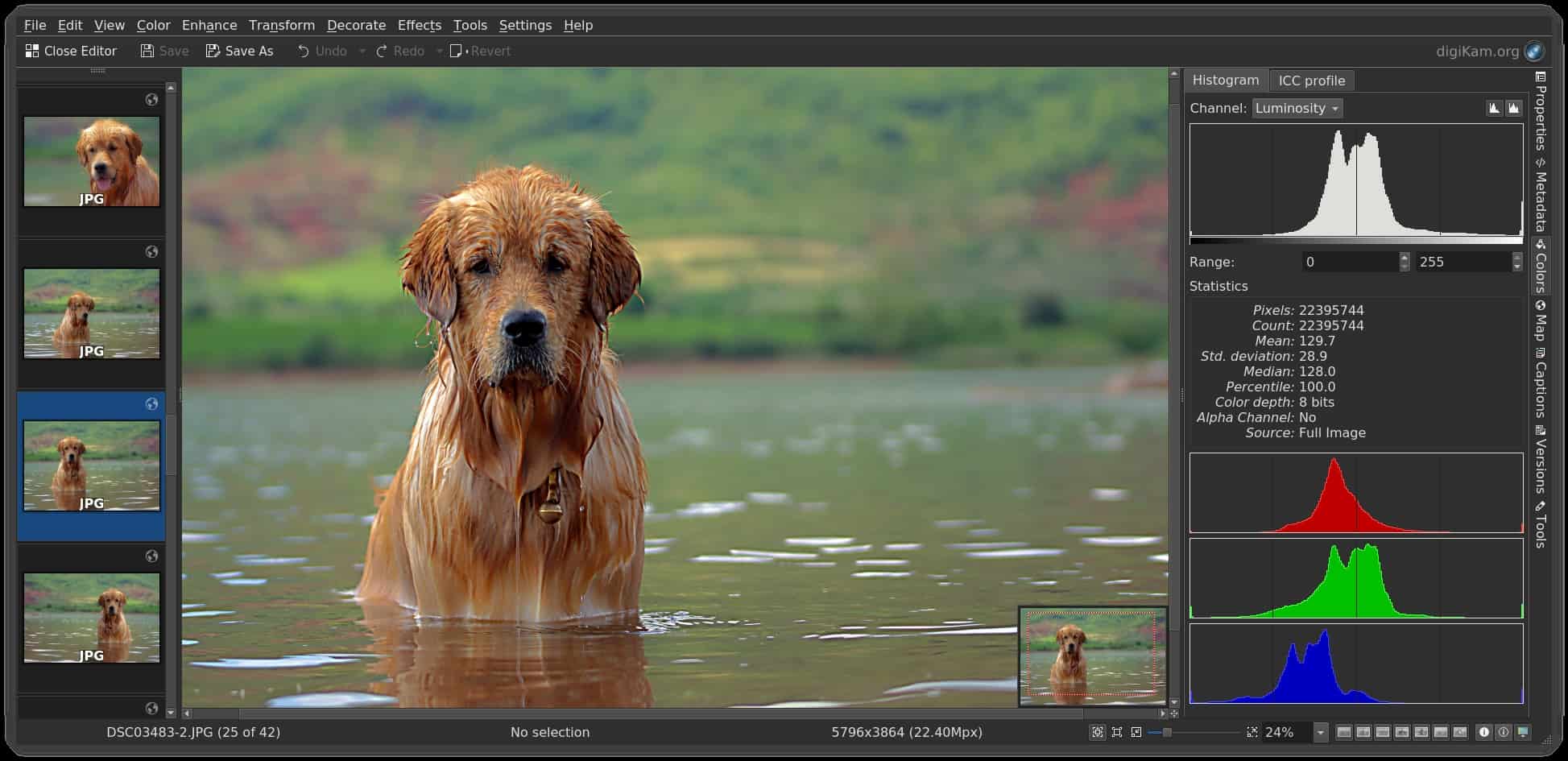
ShowFoto is a fast image editor with powerful image editing tools. You can use it to make your photos look and feel better. ShowFoto is the Digicam project’s standalone image editor.
Read More About ShowFOTO photo editor / Source

Snapseed

Snapseed is a photo-editing application for iOS and Android that enables users to enhance photos and apply digital filters. It was created by Nik Software, and is now owned by Google.
Read More About Snapseed / Source
XnView and XnView MP

XnView is an image organizer and general-purpose file manager used for viewing, converting, organizing and editing raster images, as well as general purpose file management. It comes with built-in hex inspection, batch renaming and screen capture tools. It is licensed as freeware for private, educational and non-profit uses. For other uses, it is licensed as commercial software.
Although originally deployed only on Unix-like systems, it is now also available for Windows, Windows Mobile and Pocket PC. An extended version of XnView, called XnViewMP, is available for Windows, macOS and Linux.XnView has received five cows from Tucows. In 2006 Sveriges Television (SVT) recommended XnView in their High Definition Multi Format Test Set. Research papers about DICOM and digital watermarking used XnView for image processing.
Read More About XnView and XnView MP / Source
Photo editor
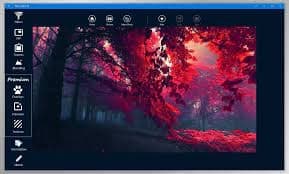
If you have little knowledge of photography then you can do a lot with photo editor.
Now use Photo Editor to edit photos on your mobile phone like you do on PC.
Read More About Photo editor / Source
Phimp.me
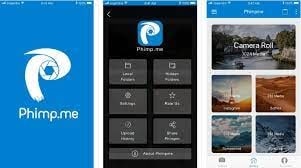
Does your Android phone have many different apps for editing, sharing and sharing images that don’t respect your privacy? Now clean your phone. Phimpme is here with all the features efficiently packed into a single free and open source application.
Read More About Phimp.me / Source
Photopea

Photopea ( FOH-tə-PEE) is a web-based graphics editor which can work with raster and vector graphics. It can be used for image editing, making illustrations, web design or converting between different image formats.
Photopea is advertising-supported software. It is compatible with all modern web browsers, including Opera, Edge, Chrome, and Firefox. The app is compatible with Photoshop’s PSD as well as JPEG, PNG, DNG, GIF, SVG, PDF and other image file formats. While browser based, Photopea stores all files locally, and does not upload any files to a server.
Read More About Photopea / Source
Paint.NET

Paint.net (stylized as Paint.NET or paint.net) is a freeware raster graphics editor program for Microsoft Windows, developed on the .NET Framework. Paint.net was originally created by Rick Brewster as a Washington State University student project, and has evolved from a simple replacement for the Microsoft Paint program into a program for editing mainly graphics, with support for plugins.
Read More About Paint.NET / Source
Keywords:
Best Free Photo Editors Top Photo Editors Free Most Downloaded Free Photo Editors Free Useful Photo Editors